Website Template or Custom Web Design? How to Choose Right
Buy a template or hire a professional? Learn when a template is enough for Swiss SMEs, where the limits are, and what to check before you decide.
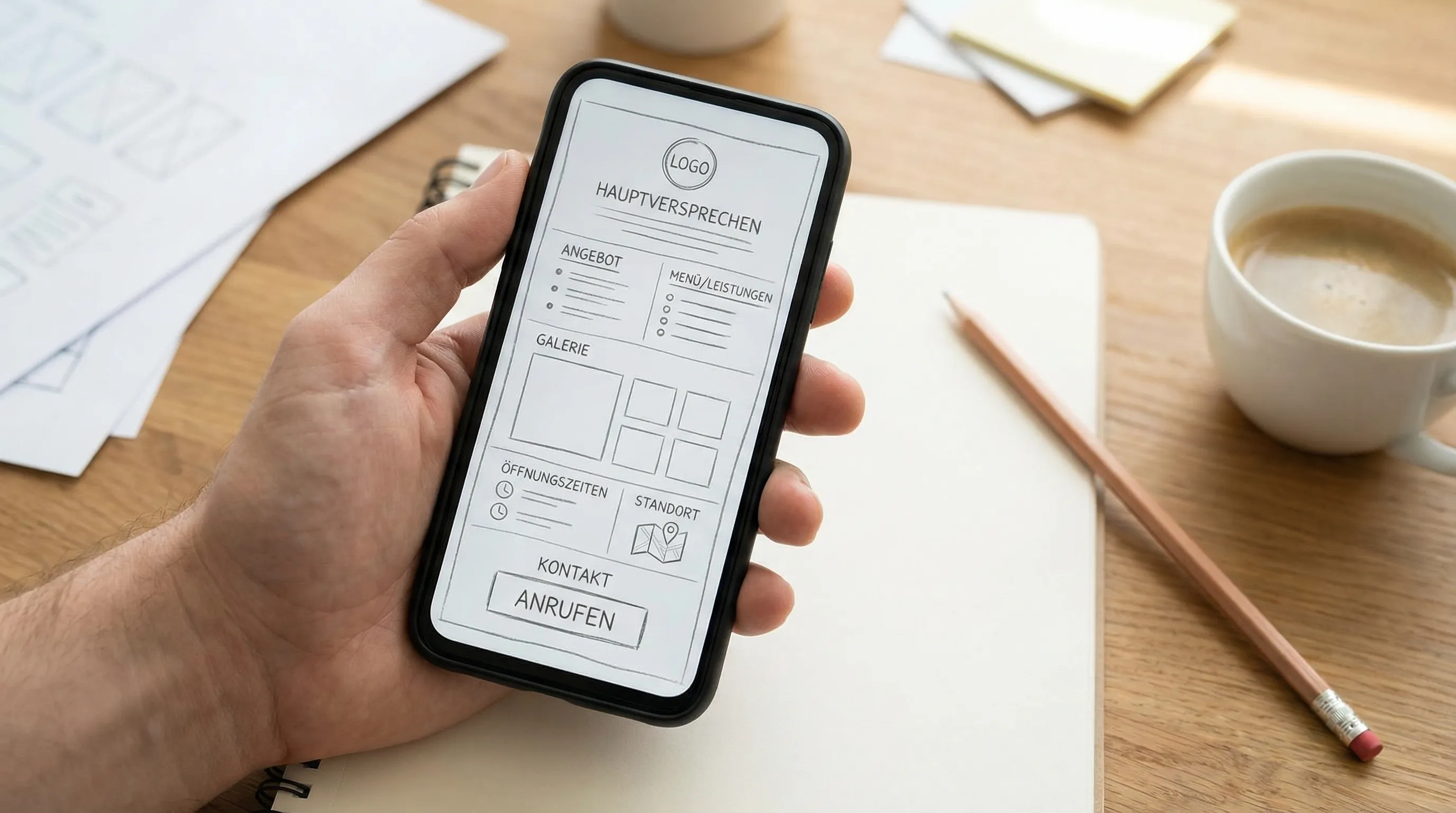
Anyone who needs a website today quickly runs into thousands of templates: ready-made design themes for Wordpress, Wix, Squarespace, or Webflow, often for 30 to 80 francs or even free. The promises sound tempting: “Professional website in one hour.” For most Swiss SMEs, reality looks different.
In this article, we answer honestly: When is a template actually enough? Where are the limits? And what should you check if you do go with a template, so the website doesn’t become a burden later?
What Is a Website Template, Exactly?
A template is a finished design blueprint: layout, colors, fonts, and page structure are predefined. You replace placeholder text and stock images with your own content, and the website is done.
That sounds simple, and for certain cases it is. The difference from custom web design isn’t primarily about looks — it’s about three things:
- Fit: A template was built for “any business”, not for yours.
- Technology: Many templates carry features you’ll never use but that cost loading speed.
- Responsibility: With a template, you handle structure, SEO, legal pages, and maintenance yourself.
When a Template Is Actually Enough
We’ll be honest here: There are situations where a template is the sensible choice.
You’re Testing a Business Idea
If it’s still unclear whether your side project will become a real business, you don’t need to invest in a professional website. A simple template or website builder is enough to win first customers and validate the idea.
The Website Is a Pure Formality
Some businesses live 100 percent on referrals and only need the website as a digital business card so people can find them at all. If the website isn’t supposed to generate inquiries, the bar is lower.
You Have Time, Patience, and Some Technical Flair
Implementing a template well realistically takes 20 to 60 hours: learning the tool, writing copy, optimizing images, checking the mobile view, adding legal pages. If you have that time and enjoy tinkering, you can achieve a decent result.
Where Templates Hit Their Limits
As soon as the website is supposed to bring in customers, the requirements shift. And that’s exactly where the typical weaknesses of templates show.
1. Loading Speed: Templates Are Often Technically Bloated
Templates need to work for as many buyers as possible. That’s why they include sliders, animations, icon libraries, and page-builder code your site doesn’t need. The result: slow loading times, especially on mobile.
This is not a detail. Google evaluates pages via the Core Web Vitals, and visitors bounce when a page takes several seconds to load on a phone. Always test a template before buying with PageSpeed Insights — the live demo, in the mobile evaluation.
2. Mobile: “Responsive” Doesn’t Mean “Designed for Mobile”
Almost every template today is technically responsive. But responsive only means the layout adapts, not that the mobile user journey works: Is the phone number tappable right away? Are opening hours visible without scrolling? Is the most important button big enough?
For local businesses, the majority of visitors come via smartphone. A template that looks elegant on desktop can still cost you inquiries on mobile.
3. SEO: The Template Won’t Rank by Itself
“SEO-ready” appears in almost every template description. What it usually means: The technology doesn’t actively prevent SEO. What a template won’t do for you:
- a clear page structure with clean H1/H2 headings
- local signals (location, service area, services named concretely)
- well-crafted titles and meta descriptions
- content that actually answers search intent
This is exactly where most template websites fail: The design is in place, but the site isn’t found on Google because structure and content stayed generic.
4. Customizability: Easy at First, Painful Later
As long as you’re only swapping text and images, a template is convenient. It gets difficult as soon as you want something the template doesn’t anticipate: online booking, a bilingual site, a custom section. Then the tinkering with plugins and workarounds begins, and every template update can break your customizations.
5. Ownership and Lock-in: Who Owns Your Website?
A point that often only surfaces when switching providers: With many builder-based templates (Wix, Squarespace), you don’t actually own the website. You can’t take it with you if you want to switch. You’re renting the design for as long as you pay the subscription.
Before deciding, check: Can you export content and domain? Do you have full access? What happens if the template vendor stops supporting it?
Checklist: What Swiss SMEs Should Check in a Template
If you decide to go the template route, verify these points before buying:
| Criterion | How to Check It |
|---|---|
| Loading speed | Test the live demo with PageSpeed Insights (mobile scores) |
| Mobile user journey | Open the demo on your own phone: Can you find contact info in 5 seconds? |
| SEO basics | Clean heading structure, editable meta data |
| Customizability | Can sections be removed/added without breaking the layout? |
| Ownership | Export possible? Domain independent? Cancellation terms? |
| Legal | Can imprint, privacy policy, and cookie notice be integrated cleanly? |
| Updates | Is the template actively maintained? Check the last update |
A common mistake: Templates get chosen based on the prettiest demo. But the demo is filled with professional photos and perfectly short copy. Always ask yourself: How will this template look with my content?
The Hidden Bill: Time Is Money Too
A CHF 60 template looks cheap. But calculate honestly:
- 20 to 60 hours of your own working time for setup and content
- ongoing time for updates, plugins, and small repairs
- with builders: CHF 20 to 50 per month subscription fees, permanently
If your working hour as a business owner is worth CHF 80 to 150, the “cheap” template website quickly costs several thousand francs in real terms — just not on an invoice, but in evenings and weekends.
Our Honest Recommendation
Here’s how we would decide:
Go with a template or website builder if you’re testing an idea, have practically no budget, or the website is deliberately just a business card. That’s completely legitimate, and you can always upgrade later.
Invest in a professionally built website if the site is supposed to bring inquiries, reservations, or bookings, if you’d rather put your time into your business, or if loading speed, SEO, and a clean mobile presence are business-relevant for you.
The middle path many overlook: A professionally built one-page website doesn’t have to cost tens of thousands of francs. At Web Alpine Studio, it costs CHF 790 one-time plus CHF 29 per month for hosting, SSL, backups, and updates — and it’s online in 7 to 10 working days. That’s often cheaper than 40 hours of your own work with a template, and the result is tailored to your business instead of “any business”. For a concrete example, see our project Creative Coiffeur.
Frequently Asked Questions
Are template websites bad for SEO?
Not automatically. But many templates are technically bloated (slow loading) and stay generic in content. Both hurt rankings. What matters is clean structure, fast technology, and concrete local content — whether template or custom build.
Can I start with a template and switch later?
Yes, that’s a legitimate path. Just make sure you own the domain and can export your content (text, images). Then a later move to a professional solution is straightforward.
What does a professional website cost in comparison?
At Web Alpine Studio: one-page website CHF 790 one-time, website with up to 10 subpages CHF 1’790, each plus CHF 29 per month hosting. All details are on the pricing page.
Conclusion: Goal First, Then the Tool
The question isn’t “template or not?”, but: What is your website supposed to achieve? For a test or a pure business card, a template is enough. But as soon as the website should bring in customers, a professional build almost always pays off — in loading speed, visibility, and above all in your own time.
Not sure which path fits your business? Take a look at our transparent pricing or contact us for a no-obligation assessment. We’ll also tell you honestly if a template is enough for your case.
Last updated: August 30, 2026